 Cellmate
Your smart battery knows a lot. Cellmate shows all of it.
A Bluetooth monitor for LiFePO4 packs that reads LiTime, JBD, JK, and Daly smart BMS units and surfaces every cell voltage, balance state, temperature, and control the pack exposes. No account, no ads. The Android app is $3.99 on Google Play; the web app is free.
/ See it
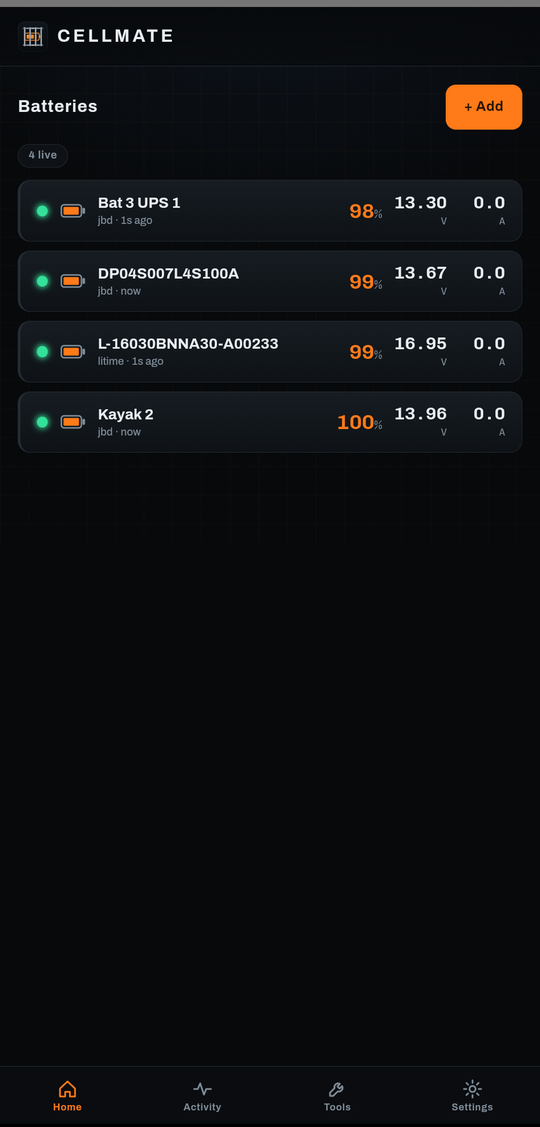 All your batteries at a glance, with alerts
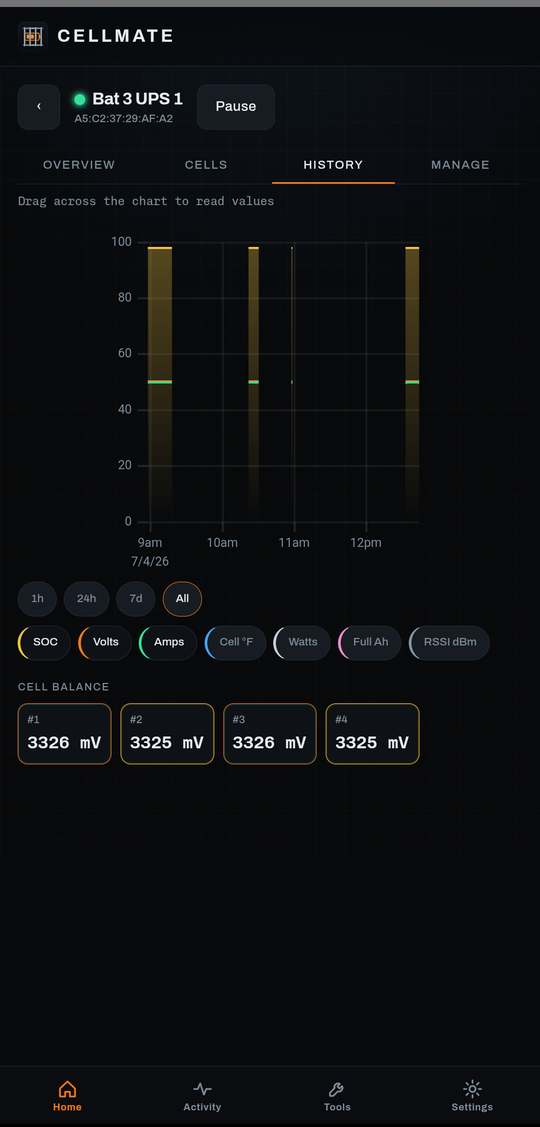 History charts you can scrub and zoom
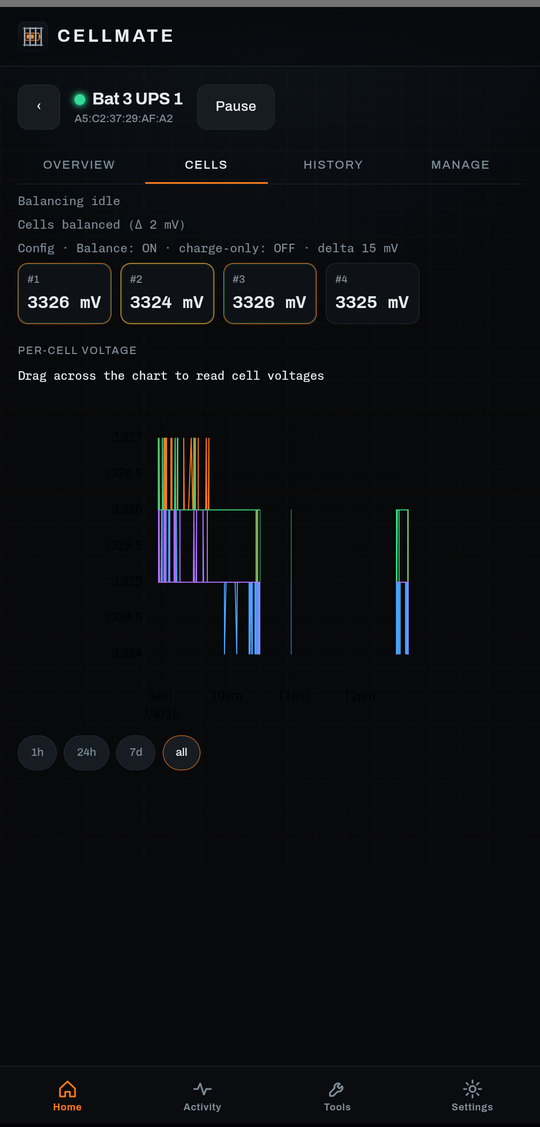 Per-cell voltage and balance over time
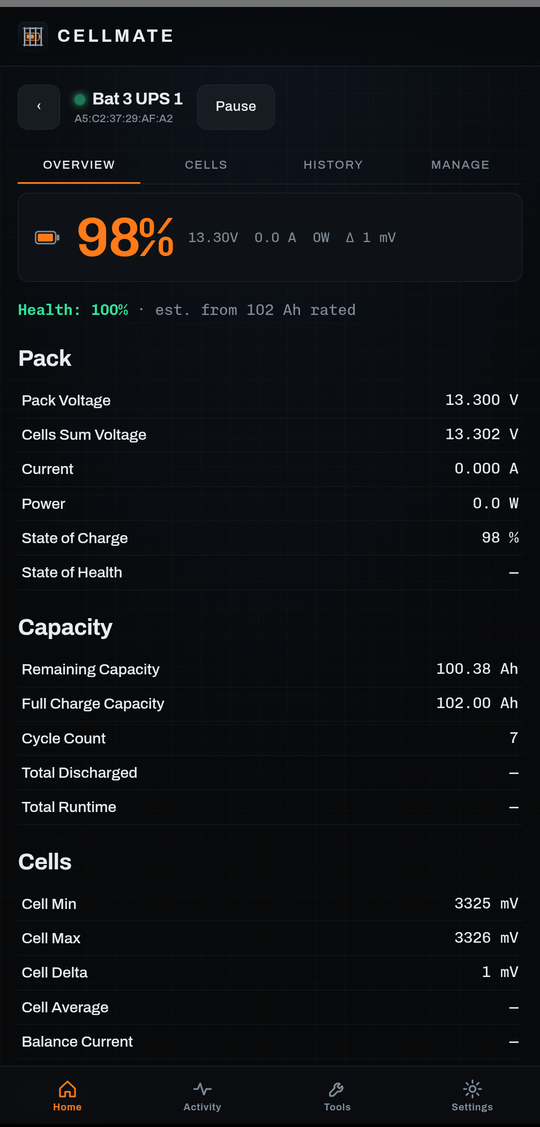 Battery health and capacity
/ What it does
Per-cell voltages, balance state, temperatures, current, state of charge, cycle count, and protection flags. Not just a percentage.
A smoothed estimate of how long until your pack is charged or drained, on the dashboard, the notification, and your home-screen widgets.
Home-screen widgets for one battery or the whole fleet, an always-on notification with live SOC and flow, and a Pause-all button right in the shade.
Scrub the history for exact values, pinch to zoom, and toggle SOC, volts, amps, temperature, power, or Bluetooth signal strength.
A live chart of each cell over time, balance stats, and an early warning when one cell starts drifting from the pack — tracked over weeks, not just this second.
Every charge and discharge is logged with Ah, Wh, and duration — and labeled by its shape: solar, steady charger, or a spiky inverter load. Plus a daily energy meter.
State of health when the BMS reports it, or an estimate from a rated capacity you set, plus a capacity fade trend.
Set thresholds per battery for low SOC, imbalance, temperature, faults, or a finished charge. Flip on "alert while sleeping" and the Android app keeps watching and notifies you even while your phone is deep asleep.
An Ohm's law solver and a runtime calculator. The web app also has a BLE inspector for poking at the raw GATT of any device.
/ Batteries it speaks to
More are on the way. The driver layer is built so a new BMS is a capture and a decoder, not a rewrite.
/ Get the Android app
Cellmate for Android is on Google Play for $3.99, one time. The Android app keeps watching your batteries in the background, alerts you while your phone sleeps, and adds home-screen widgets.
Rather stay in the browser? The web app runs free at cellmate.reiners.io in Chrome on Android or desktop, while its tab is open. On iPhone there is no Web Bluetooth, so the app cannot connect on iOS.
/ Who built this
I am Justin Reiners. Through Reiners Cloud Consulting I build web, cloud, and connected-device software for people who need it done right. Cellmate started as a tool I wanted for my own batteries, and it grew from there. If you have something you need built, come say hello at reiners.io.
Unofficial. Not affiliated with LiTime, Jikong, JBD, Daly, or any manufacturer. Use at your own risk.
Built by Reiners Cloud Consulting · reiners.io